Streaming
Streaming Apps

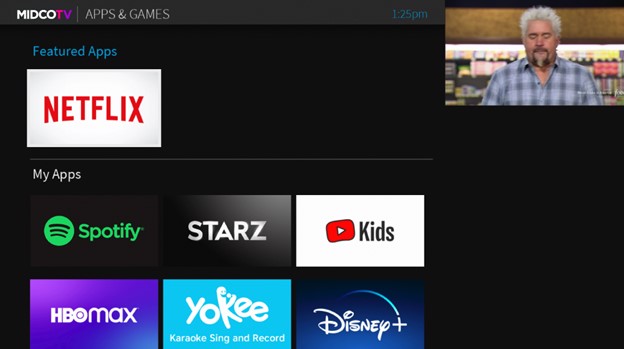
Connect all your favorite streaming and music apps to your MidcoTV, and never worry about switching inputs on your TV to access an app. MidcoTV lets you choose from the 3,000+ apps available on Google Play™.


Connect all your favorite streaming and music apps to your MidcoTV, and never worry about switching inputs on your TV to access an app. MidcoTV lets you choose from the 3,000+ apps available on Google Play™.
Press the Grid button on your remote to go to Apps & Games. If you're on the Home screen, press 7 on your remote or use the Right arrow button to go to Apps & Games in the Navigation Bar.

Some apps will come automatically downloaded to your MidcoTV. These include:
To download more apps, select the Google Play Store. Search for the app you want to add to your MidcoTV and download it. if you want to download games, select Google Play Games.
Note: You must be signed into your Google account to download apps. A third-party monthly subscription is required to access some apps.
This material includes references to products, services and/or equipment not manufactured by Midco. The respective companies retain trademark and registered trademark ownership for those referenced items.
Acceptable use of any application is determined solely by the application provider and may not be available for Business use.